Visual Abstract Generator
Abfig drafts an image from your research abstract. Authors must review study design, results, and labels, and confirm the requested layout and AI-image policy. Preview free; newly generated artwork requires eligible paid access for PNG/TIFF downloads.
Open Visual Abstract Generator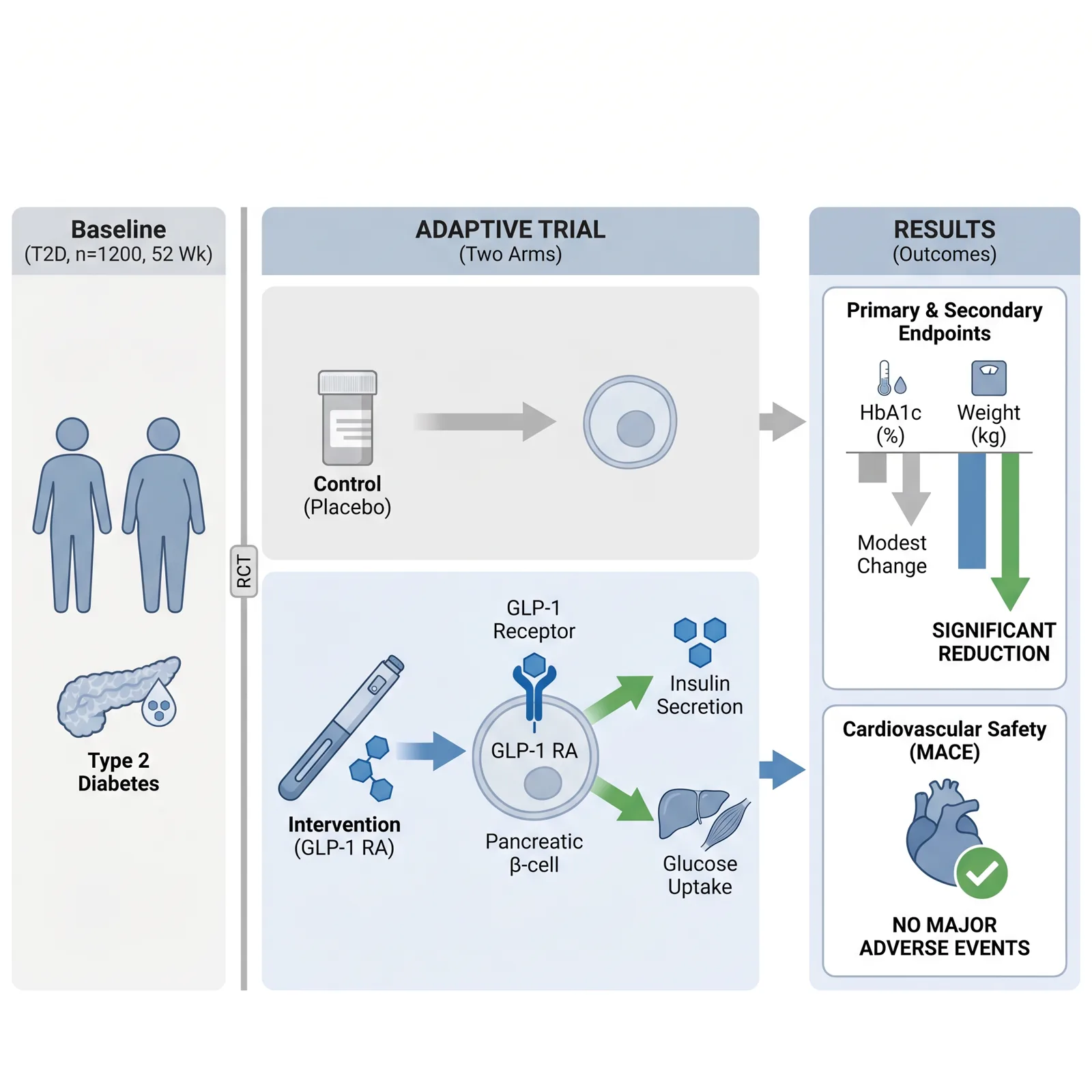
What Is a Visual Abstract?
A visual abstract is a single-image, graphical summary of a research paper's key findings. Originally popularized by medical journals on social media, visual abstracts condense a study's objective, methods, results, and conclusion into a glanceable figure that readers understand in seconds — without opening the full paper.
A visual abstract can help communicate a study’s main message. Reach depends on the article, audience, and distribution; Abfig does not promise more views or citations. Author-submission and AI-image requirements vary by journal.
The terms overlap, but a clinical visual abstract may require a specific study-design, methods, and results structure. Follow the format your journal requests. Abfig drafts images; it does not validate clinical summaries or provide individually editable objects.
How to Create a Visual Abstract
Select your target journal
Use a built-in size preset only when it matches current guidance. Without a matching preset, verify exact requirements instead of treating a nearby preset as suitable. Check the downloaded file with the DPI checker.
Paste your paper abstract
Copy your structured abstract (Background, Methods, Results, Conclusion) into the visual abstract generator. Abfig's AI reads your text and drafts a visual abstract layout — no prompting or design skills needed.
Review and refine
Review all numbers, labels, comparisons, and conclusions. Use Refine to regenerate the whole image or Inpaint to redraw a masked region. Review each result again; these tools do not provide individually editable objects or guarantee scientific accuracy.
Export for submission or sharing
New accounts receive free starter credits to generate and review watermarked previews. Downloads of newly generated artwork require an eligible paid credit package and do not spend extra credits. Generation uses credits based on resolution. The browser-based DPI checker is free. No subscription is required.
Visual Abstract Use Cases in Clinical Research
Randomized Controlled Trials
Summarize trial design, groups, endpoints, and results. Verify every number and comparison against the source study.
Systematic Reviews & Meta-Analyses
Draft the search strategy, included studies, and main conclusion. Use verified source plots for quantitative results; AI illustrations are not calculated forest plots.
Clinical Practice Guidelines
Draft recommendations and evidence levels. Authors must verify guideline sources, wording, and recommendation strength.
Case Reports & Case Series
Draft a timeline of findings, intervention, and outcomes. Use authorized material and review all clinical details.
Journal Specifications for Visual Abstracts
Layouts, dimensions, resolution, and formats vary by journal. Check current author guidelines and the actual pixels, DPI, and format of your file. Technical presets do not confirm permission to submit an AI image.
Use a built-in size preset only when it matches current guidance. Without a matching preset, verify exact requirements instead of treating a nearby preset as suitable. Check the downloaded file with the DPI checker.
Always verify your final visual abstract against your target journal's current author guidelines before submitting. Specifications can change between revision cycles.
Visual Abstract FAQ
- What is a visual abstract?
- A visual abstract is a single-image, graphical summary of a research paper's key findings. Originally popularized by medical journals on social media, visual abstracts condense a study's objective, methods, results, and conclusion into a glanceable figure that readers understand in seconds — without opening the full paper.
- Is a visual abstract the same as a graphical abstract?
- The terms overlap, but a clinical visual abstract may require a specific study-design, methods, and results structure. Follow the format your journal requests. Abfig drafts images; it does not validate clinical summaries or provide individually editable objects.
- Which journals require a visual abstract?
- Technical image specifications and permission to use AI images are separate checks. Follow your exact journal’s current author guidelines; Abfig’s size presets do not establish AI-image permission.
- Can I post a visual abstract on social media?
- Share only after checking your rights and the journal and coauthor requirements. Review results and labels first. PNG/TIFF downloads require eligible paid access for newly generated artwork; sharing does not guarantee engagement.
- Is the visual abstract generator free to use?
- New accounts receive free starter credits to generate and review watermarked previews. Downloads of newly generated artwork require an eligible paid credit package and do not spend extra credits. Generation uses credits based on resolution. The browser-based DPI checker is free. No subscription is required.
Create Your Visual Abstract Now
Abfig drafts an image from your research abstract. Authors must review study design, results, and labels, and confirm the requested layout and AI-image policy. Preview free; newly generated artwork requires eligible paid access for PNG/TIFF downloads.
Open Visual Abstract Generator