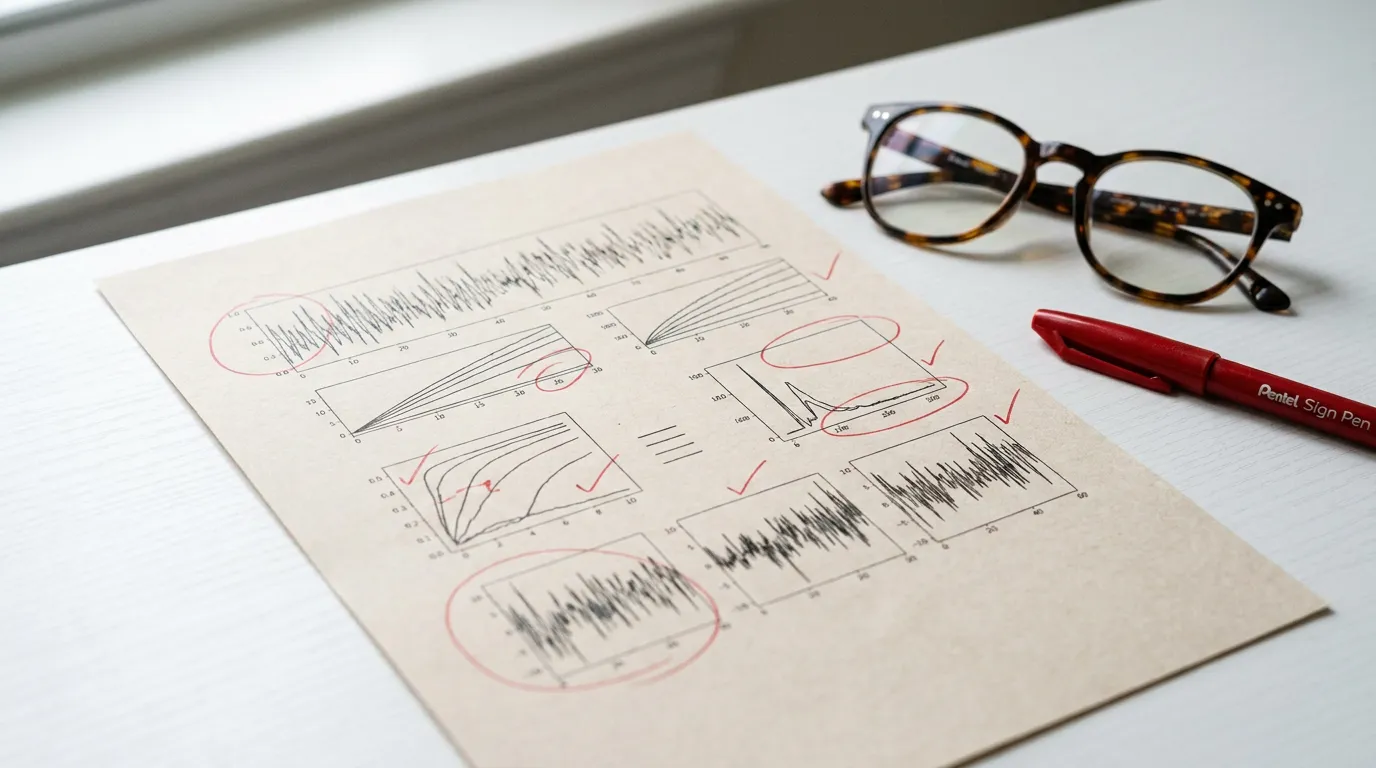
For image-based drafting and review. Use an illustration editor when you need individually editable diagram objects.
The research, visualizedFig. 01
Illustrative AI draft made with Abfig — not experimental evidence. Review the scientific content before use.
Try it — free to start
Paste your abstract and preview a watermarked 1000px draft for free, without an account. Downloads require paid access. Review the result before you buy.
Illustrative sample inputs and their actual cached Abfig results, not experimental evidence. AI results can vary; review scientific details, labels, and your target journal’s AI-image policy before use.
Oncology
Generated image draft
Read the full input abstract
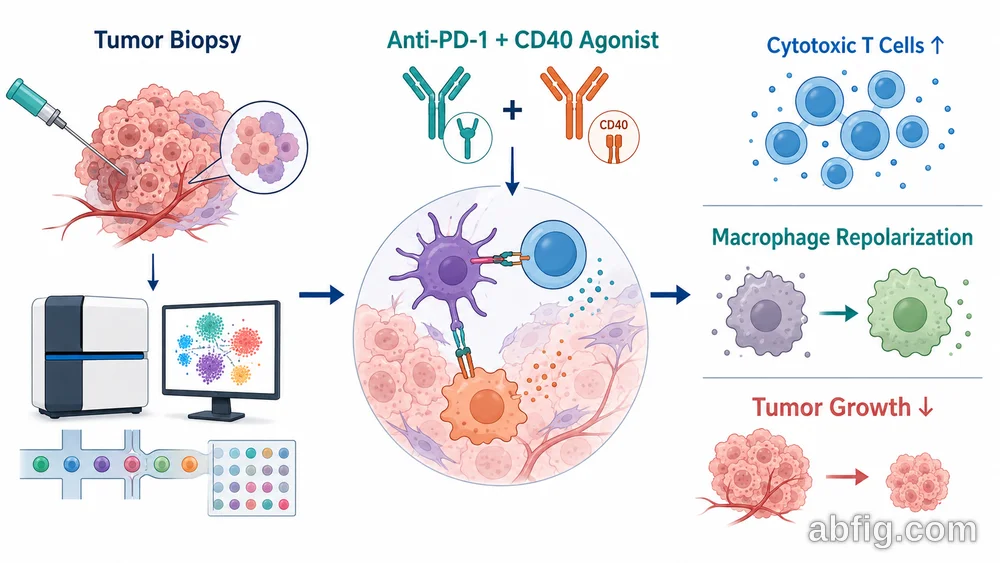
Background: Resistance to immune checkpoint blockade limits durable responses in many solid tumors. Methods: We performed single-cell RNA sequencing of tumor biopsies from 60 patients and tested a combination of anti-PD-1 with a CD40 agonist in immunocompetent mouse models. Results: The combination expanded cytotoxic T cells, repolarized tumor-associated macrophages, and slowed tumor growth compared with monotherapy. Conclusion: Combining checkpoint blockade with CD40 agonism remodels the tumor immune microenvironment and may improve responses in checkpoint-resistant tumors.
Clinical trial
Generated image draft
Read the full input abstract
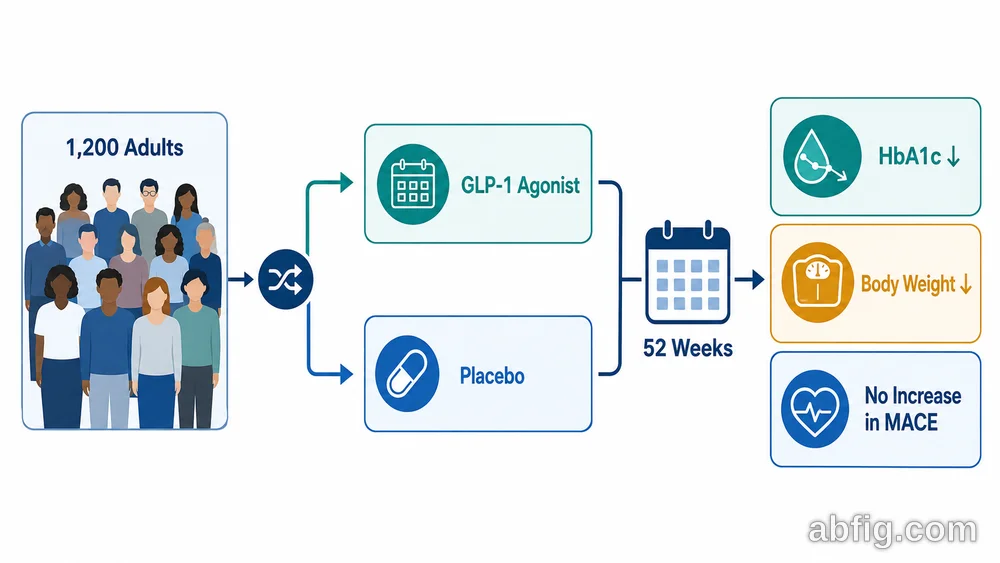
Background: Glycemic control and cardiovascular safety remain key goals in type 2 diabetes management. Methods: In a 52-week randomized, double-blind trial, 1,200 adults with type 2 diabetes received a once-weekly GLP-1 receptor agonist or placebo. Primary endpoints were change in HbA1c and body weight, and cardiovascular events were monitored. Results: The GLP-1 group showed a significant reduction in HbA1c and body weight versus placebo, with no increase in major adverse cardiovascular events. Conclusion: Once-weekly GLP-1 receptor agonist therapy improves glycemic control and weight with a reassuring cardiovascular safety profile.
Materials science
Generated image draft
Read the full input abstract
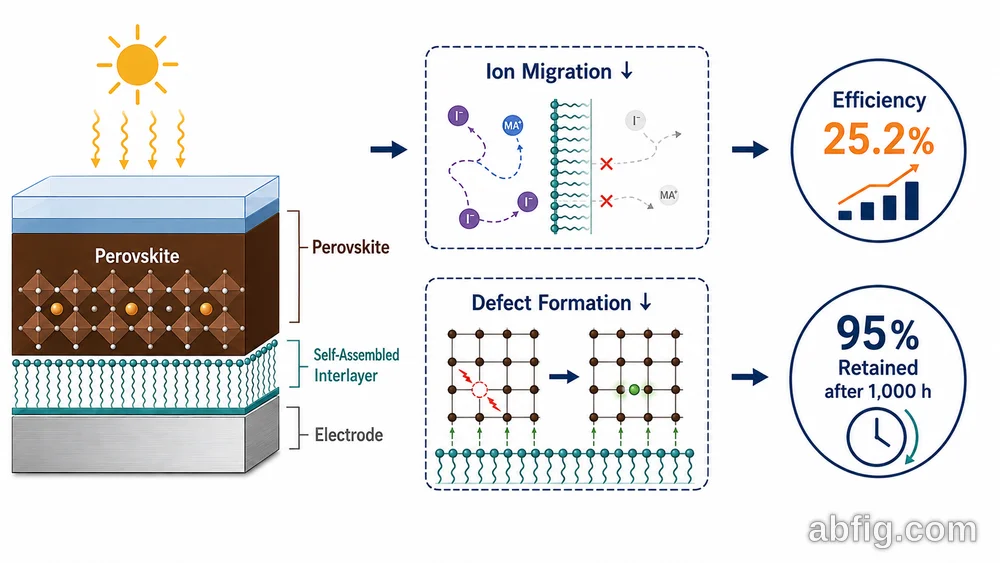
Background: Perovskite solar cells offer high efficiency but suffer from operational instability. Methods: We introduced a self-assembled molecular interlayer at the perovskite–electrode interface and characterized the devices under continuous illumination. Results: The interlayer suppressed ion migration and defect formation, raising power conversion efficiency to 25.2% and retaining over 95% of initial performance after 1,000 hours of operation. Conclusion: Interface engineering with self-assembled molecules delivers efficient and stable perovskite solar cells suitable for scale-up.
Real Graphical Abstracts Made with Abfig
Journal-sized figures across research fields
Every example below was created in Abfig. No Illustrator, no design background.
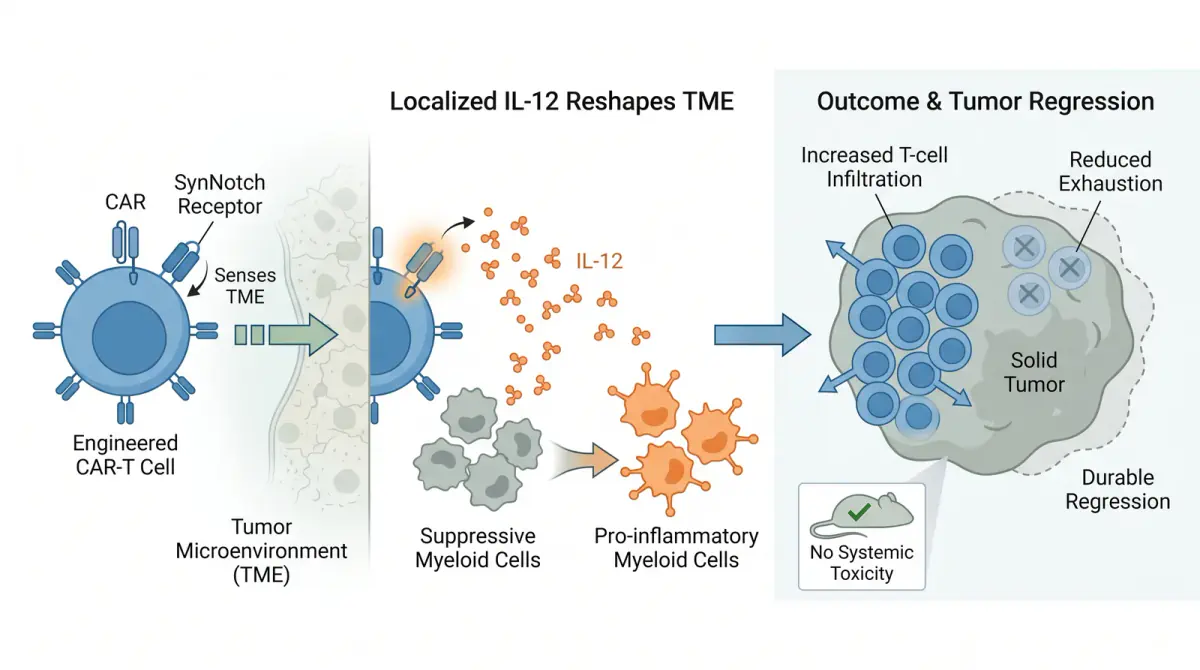
CAR-T Cancer ImmunotherapyEngineered T-cell therapy workflow
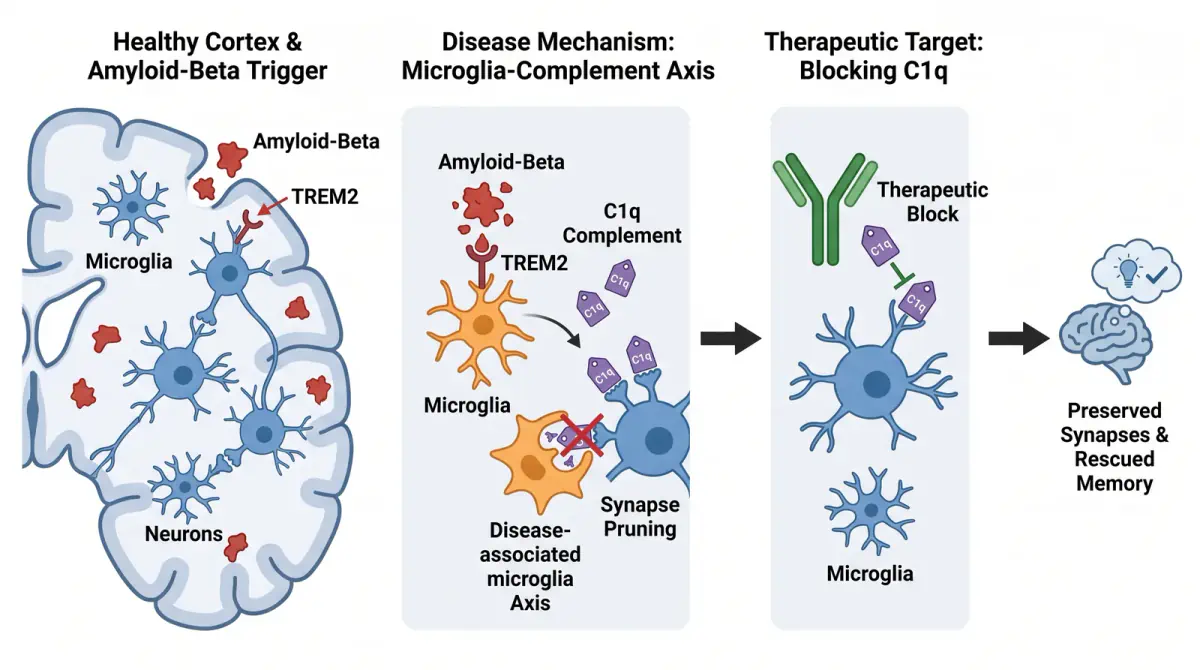
Alzheimer's NeuroscienceAmyloid pathway and neurodegeneration
Gut Microbiome & MetabolismMicrobiota-host metabolic signaling
CRISPR Base EditingPrecision genome editing mechanism
From rough sketch to visual draft
From sketch to AI draft
Compare the sketch and the generated image side by side.
Nature Center Layout
Before
After Abfig
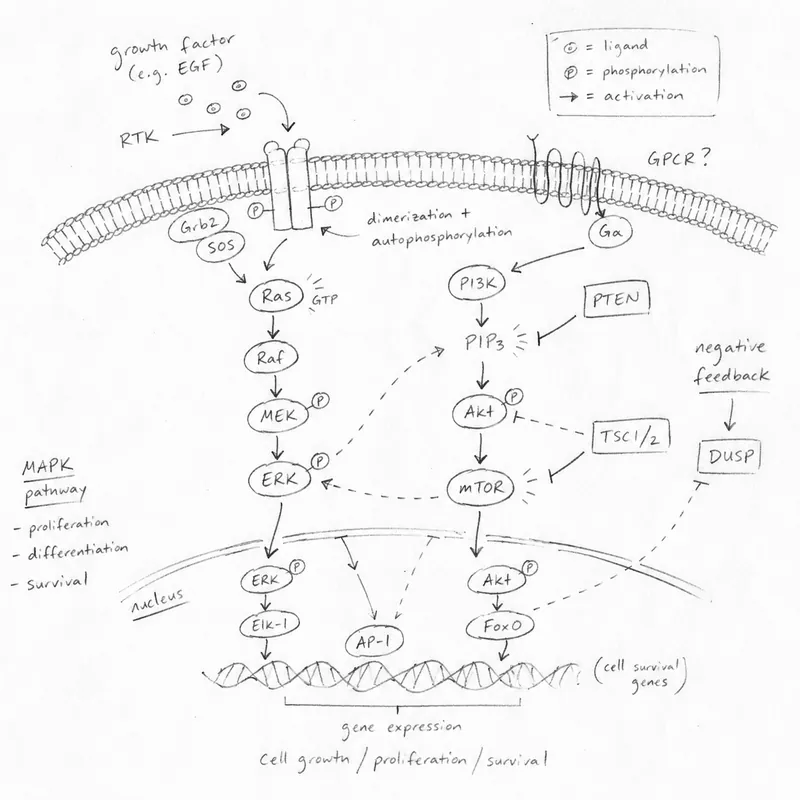
Turn your rough pathway sketch into a polished Nature-style graphical abstract
Cell Classic Layout
Before
After Abfig
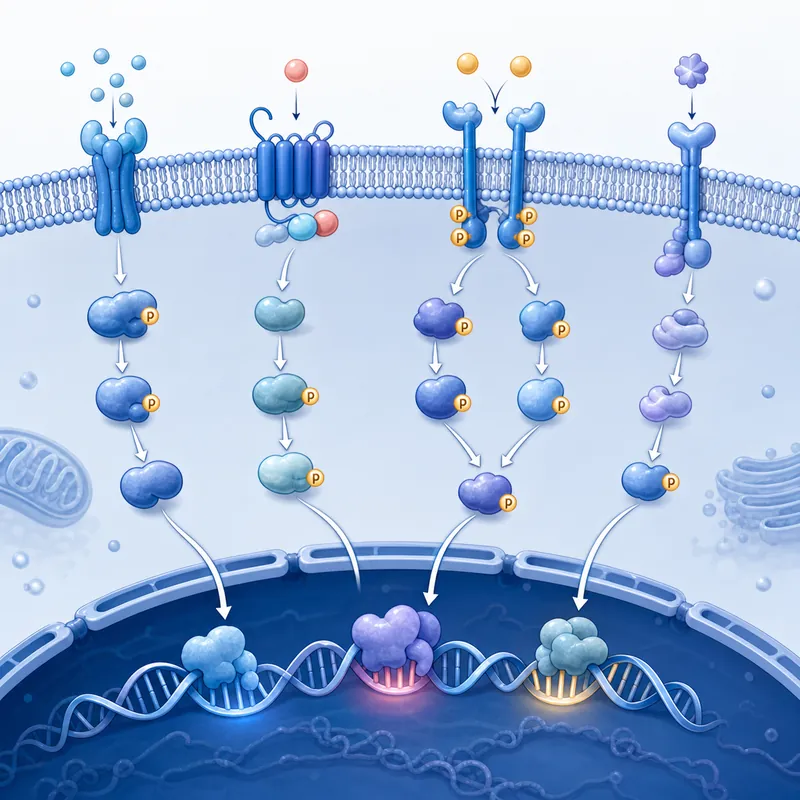
Transform molecular doodles into a clean Cell-style scientific figure
Sketch-to-image examples illustrate reinterpretation, not pixel-perfect tracing. Review the scientific content and your journal’s AI policy.
Check the size. Review the journal’s rules.
Export RGB PNG or TIFF with a journal preset or your own dimensions and DPI.
Matching dimensions does not establish permission to use AI images. Check the target journal’s current author guidelines and review the scientific content before submission.
Simple plans for every researcher
Get starter credits once, then choose a one-time pack or a recurring plan. New artwork downloads require paid access.
Up to 6 Free Starter Credits
Eligible new accounts receive starter credits once, with no daily or monthly refill.
Credit packs
Add credits only when you need them, without starting a subscription.
Monthly credit plans
A recurring allowance for researchers who generate regularly.
What is a graphical abstract and how can it be created effectively?
A graphical abstract is a single visual summary of a paper's main findings, shown alongside the text abstract so readers grasp the work at a glance. To create one effectively: (1) distill your study to one key message with a clear left-to-right or top-to-bottom visual flow; (2) keep text minimal and use icons or panels instead of dense paragraphs; (3) size the canvas and resolution to your target journal's author guidelines (commonly 300 DPI). With Abfig you can paste your abstract and let the AI draft this layout, then regenerate or adjust your abstract and export it at your target journal's size (TIFF or PNG).
Is Abfig free to use?
Preview first, no card required. Guests get 1 generation trial per browser identity, with no daily refill. Eligible new accounts receive up to 6 starter credits once (up to 2 single-image 1K generations), valid for 30 days. There are no daily or monthly free refills. Downloads of new artwork require paid access.
Which journals does Abfig support?
Abfig ships 4 journal presets: Nature, Cell, Elsevier, ACS. Each preset pre-configures the recommended dimensions and DPI from that journal's published guidelines; export is RGB (TIFF or PNG). Our /journals reference covers specs for 15 journals, and we add presets on request — see the FAQ below.
What export formats are available?
Abfig exports to TIFF and PNG at submission resolution. Export specs (DPI, dimensions) are pre-set from journal guidelines — always verify against your target journal's author guidelines before submitting.
Do I need design skills or special software?
No. Abfig runs entirely in your browser. No Illustrator, no Photoshop, no downloads. The interface is purpose-built for researchers, not graphic designers.
What if my journal isn't listed?
Send us your journal’s current author guidelines and the dimensions, DPI and file formats you need. We can review whether a new preset is appropriate; availability and timing must be confirmed.
What size should a graphical abstract be?
It depends on the journal — for example, Elsevier typically asks for at least 1328×531 pixels at 300 DPI, Cell Press for a 1200×1200 pixel square, and Nature Chemistry for 90×50mm. Abfig loads a journal-sized starting canvas with sensible DPI defaults, but specs change and vary by title, so always confirm the exact requirements in your target journal's current author guidelines before you submit.
Do all journals require a graphical abstract?
No. Many Elsevier and Cell Press journals require one, but most Nature journals and Science don't accept graphical abstracts at all. Always verify your target journal's current author guidelines before you start building.
Is Abfig an AI graphical abstract generator?
Yes. Abfig works as an AI graphical abstract generator: paste your paper abstract and it drafts a journal-sized graphical abstract. Not happy with the first draft? Regenerate, adjust your abstract, or switch to a different journal size, then export as TIFF or PNG — you decide when it's ready to submit.
Can I edit the AI-generated figure after it's created?
Yes. Refine re-renders the entire figure from a new text instruction — useful for adjusting layout or colors. Inpaint lets you draw a mask over a specific region with a brush and describe what to change — AI redraws within that region, ideal for fixing a label or replacing an icon. Keep editing until the figure matches your study, then export.
More about graphical abstracts: workflow, features and common mistakes
Explore the workflow and practical checks, or find a guide for your next step.
Everything You Need to Create a Graphical Abstract
An AI Graphical Abstract Generator Built for Researchers
Abfig handles the technical details — journal specs, DPI, dimensions, export formats — so you can focus on telling your research story.
Journal Presets
4 Journal Presets Built In: Nature, Cell, Elsevier, ACS
Select your target journal and Abfig pre-configures the output dimensions and DPI based on that journal's guidelines. Presets available for Nature, Cell, Elsevier, ACS.
AI From Your Abstract
Paste Text, Get a Figure
Paste your paper abstract — or upload a rough sketch — and Abfig's AI generates a complete graphical abstract image. No blank canvas, no manual layout.
Journal-Sized Export
TIFF & PNG at the Right Specs
One-click export to TIFF or PNG at submission resolution. DPI and dimensions (RGB) are pre-configured from journal guidelines — verify against your target journal's author guidelines before submitting.
No Design Skills Needed
Purpose-Built for Researchers
Paste your abstract, let the AI draft the figure, pick your journal, and export. You don't need to learn Illustrator — Abfig is built around the graphical abstract workflow, not a general-purpose design tool.
Refine & Edit Precisely
From Draft to Polished Figure
Not happy with the first draft? Use Refine to re-render the whole figure with a new instruction, or Inpaint to brush a specific area and redraw within that region. Go from a rough AI draft to a polished figure — all within Abfig.
Free Tier
Up to 6 Free Starter Credits
Eligible new accounts receive up to 6 starter credits once — up to 2 single-image 1K previews. No daily or monthly refill. Generating a 2K image uses 5 credits; AI edits cost extra. Downloads of new artwork require paid access.
Select from the built-in journal presets. Abfig pre-configures the output dimensions and DPI recommended for that journal.
2
Paste Your Abstract
Paste your paper abstract — or upload a rough sketch — and Abfig's AI drafts a complete graphical abstract image for you.
3
Edit & Polish
Use Refine to re-render the whole figure, or Inpaint to draw a mask and redraw within a selected region — fix a label, swap an icon, adjust the layout.
4
Export & Submit
Review the AI draft and export as TIFF or PNG at submission resolution. Verify dimensions against your journal's author guidelines before submitting.
Who Needs a Graphical Abstract?
Researchers may need a graphical abstract for a journal, conference or research presentation. Start with the purpose and the target publication’s current author guidelines: requirements for dimensions, content and AI use can differ.
Abfig helps turn an abstract or sketch into a visual draft, edit it and export RGB PNG or TIFF at selected dimensions and DPI. Authors still need to check labels, scientific meaning and the target journal’s requirements.
Common Graphical Abstract Mistakes to Avoid
Graphical abstracts are often returned for a handful of predictable issues. Use this checklist to catch common problems, then compare your figure with your target journal's current guidelines.
Too much text
A graphical abstract is a picture, not a paragraph. Cut full sentences down to short labels and let the visual flow carry the story.
Resolution below 300 DPI
Anything under 300 DPI looks blurry in print. Build at the journal's pixel dimensions from the start instead of enlarging a small image.
Wrong color space
Submitting CMYK where the journal wants RGB — or the reverse — shifts your colors. Elsevier displays figures online in RGB; confirm your journal's rule before export.
Fonts too small for a thumbnail
Your figure appears at a fraction of its size in the table of contents. Keep type large and use a clean sans-serif so labels stay legible.
Overcrowding
Cramming every result into one figure defeats the purpose. Pick the single key finding and design the graphical abstract around it.
Reusing copyrighted elements
Use only elements you have the rights to. Permissions issues are a common reason a graphical abstract is sent back at submission.
Create Your First Graphical Abstract
Preview your draft, review the result, then buy a one-time pack to download.