Start from your own layout
Turn a Rough Sketch Into a Scientific Diagram Draft
Upload a hand-drawn pathway, workflow, mechanism, or system layout. Abfig uses the sketch as visual guidance, creates a new scientific diagram draft, and lets you regenerate the composition or refine selected regions before export.
Upload a Research Sketch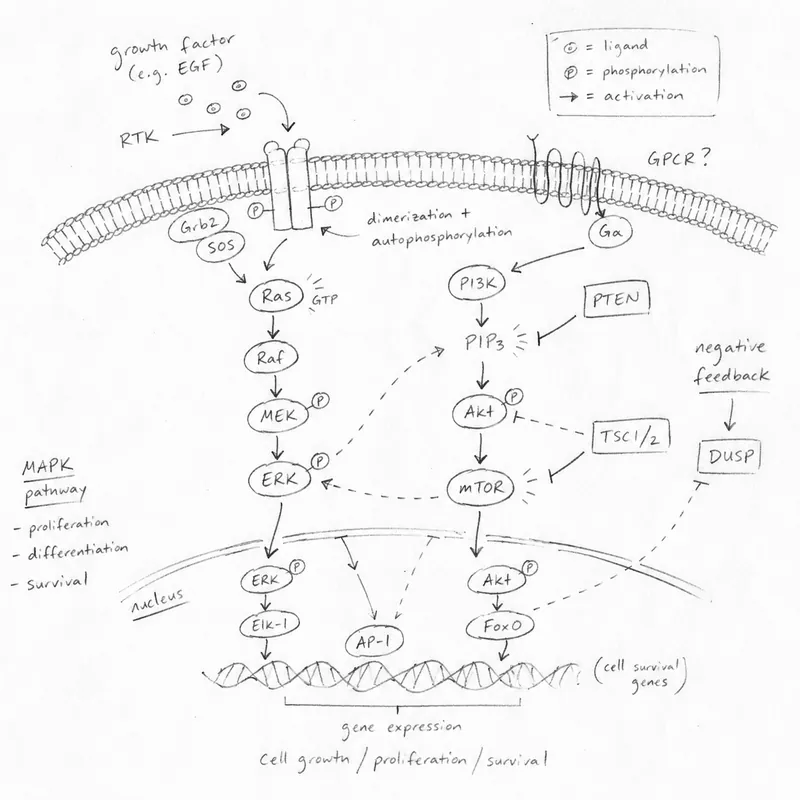
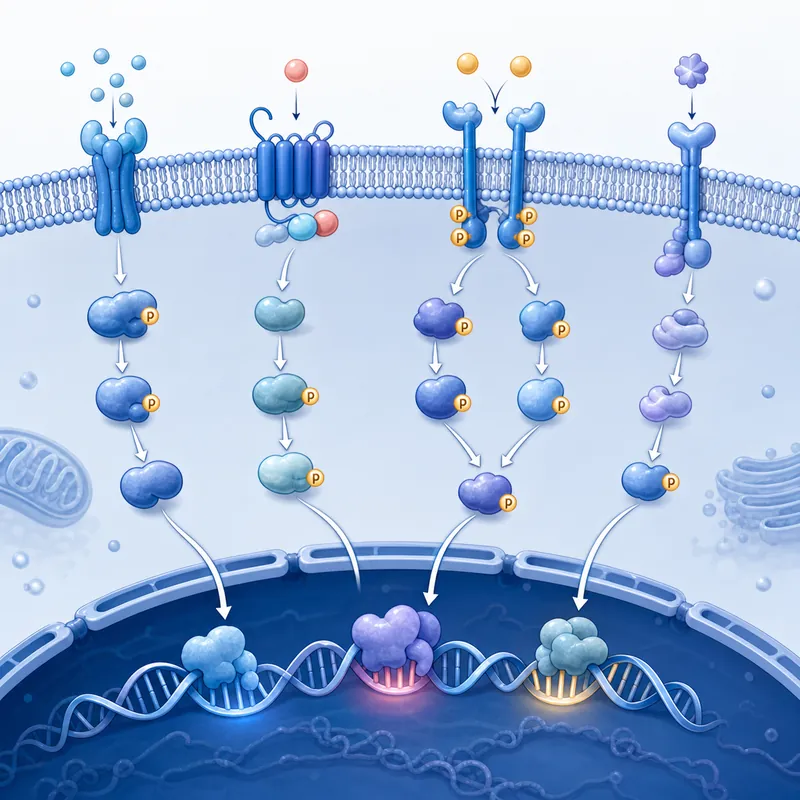
A real Abfig sketch workflow. The output follows the visual idea while reinterpreting details, styling, and composition.
How sketch-to-diagram generation works
A rough sketch already contains decisions that text alone may not capture: which component belongs on the left, what connects to what, and where the reader should look next. Abfig analyzes that visual structure together with any optional text guidance, then generates a new raster image that expresses the idea as a scientific diagram.
Reinterpretation, not automatic tracing
The model does not preserve every pixel, font, arrow, or label. It may rearrange or redraw elements as it interprets the sketch. Use the result to explore a stronger visual draft, not to digitize an exact technical drawing.
What makes a useful research sketch
The sketch does not need to look polished. It needs to communicate hierarchy and relationships clearly enough for the model—and later the author—to follow.
Use boxes, circles, and simple silhouettes
Represent the main entities with basic shapes. Visual clarity matters more than drawing skill.
Show direction with clear arrows
Indicate sequence, transport, activation, inhibition, or feedback with arrows whose direction is easy to read.
Add short, legible labels
Name essential entities or stages in a few words. Put detailed definitions and exact values in your text guidance or manuscript.
Keep one visual story per sketch
Separate unrelated mechanisms or results. A focused sketch gives the generated composition a clearer hierarchy.
From sketch to scientific diagram in four steps
Photograph or export the sketch
Use a clear image with the full layout visible. Crop away desk clutter, shadows, and unrelated notes before upload.
Add optional scientific guidance
Explain the subject, intended flow, important labels, and visual direction. Leave the field blank if the sketch contains enough context.
Generate and compare
Compare the draft with the source sketch and your research. If the visual hierarchy is wrong, revise the guidance and regenerate.
Refine, verify, and export
Refine the full image or inpaint a selected region, verify every scientific detail, then export RGB PNG or TIFF at the size you need.
Sketches this workflow can develop
Pathways and mechanisms
Develop a hand-drawn sequence of cells, molecules, treatments, or outcomes into a conceptual mechanism draft.
Experimental workflows
Turn boxes and arrows for preparation, intervention, measurement, and analysis into a more coherent visual sequence.
Engineering and materials systems
Explore a visual overview of device layers, process stages, flows, interfaces, or system components.
Graphical abstract layout planning
Test the composition of a graphical abstract before selecting a journal size and preparing the final export.
What the generated diagram still needs from you
A clearer-looking image can still be scientifically wrong. The source sketch and the generated draft both need author review.
Correct the model's interpretation
Check missing elements, invented labels, changed arrow directions, structures, quantities, and causal relationships.
Use the right editing workflow
Abfig supports whole-image regeneration and selected-region refinement. It does not provide independently editable vector objects or layers.
Check rights and venue policy
Upload only material you may use, and confirm the current AI-image and disclosure rules for the journal, conference, or institution.
Related figure workflows
Graphical abstract maker
Switch between abstract text and sketch input in the existing generator.
Scientific figure generator
Explore conceptual diagrams for mechanisms, workflows, comparisons, and systems.
Graphical abstract templates
Review common information structures and supported journal presets.
DPI checker
Inspect the pixel size and effective print resolution of the exported image.
Sketch to scientific diagram FAQ
- What kind of sketch should I upload?
- Upload a clear hand-drawn or digital layout that shows the main components and their relationships. Simple boxes, arrows, and short labels are enough; artistic drawing skill is not required.
- Will the generated diagram exactly trace my sketch?
- No. The model uses the sketch as visual guidance and creates a new interpretation. Positions, labels, icons, and styling may change, so compare the result carefully with your source.
- Can I add text instructions with the sketch?
- Yes. Text guidance is optional and can clarify the scientific subject, important elements, flow direction, palette, or label density.
- Can I edit one part without generating everything again?
- Yes. Inpaint lets you mask a selected region and request a redraw. Refine reinterprets the full image. Neither mode turns the image into editable vector layers.
- Can I use the output as primary research evidence?
- No. The output is a conceptual illustration draft. It must not replace microscopy, scans, measured plots, diagnostic images, or other evidential material.
- Which formats can I export?
- Abfig exports RGB PNG and TIFF. Choose dimensions and resolution for the intended use, then verify the scientific content and any venue-specific file requirements.
Give your rough layout a visual draft
Upload the sketch, add only the guidance it needs, and review the AI-generated diagram against your research before sharing it.
Upload a Research Sketch